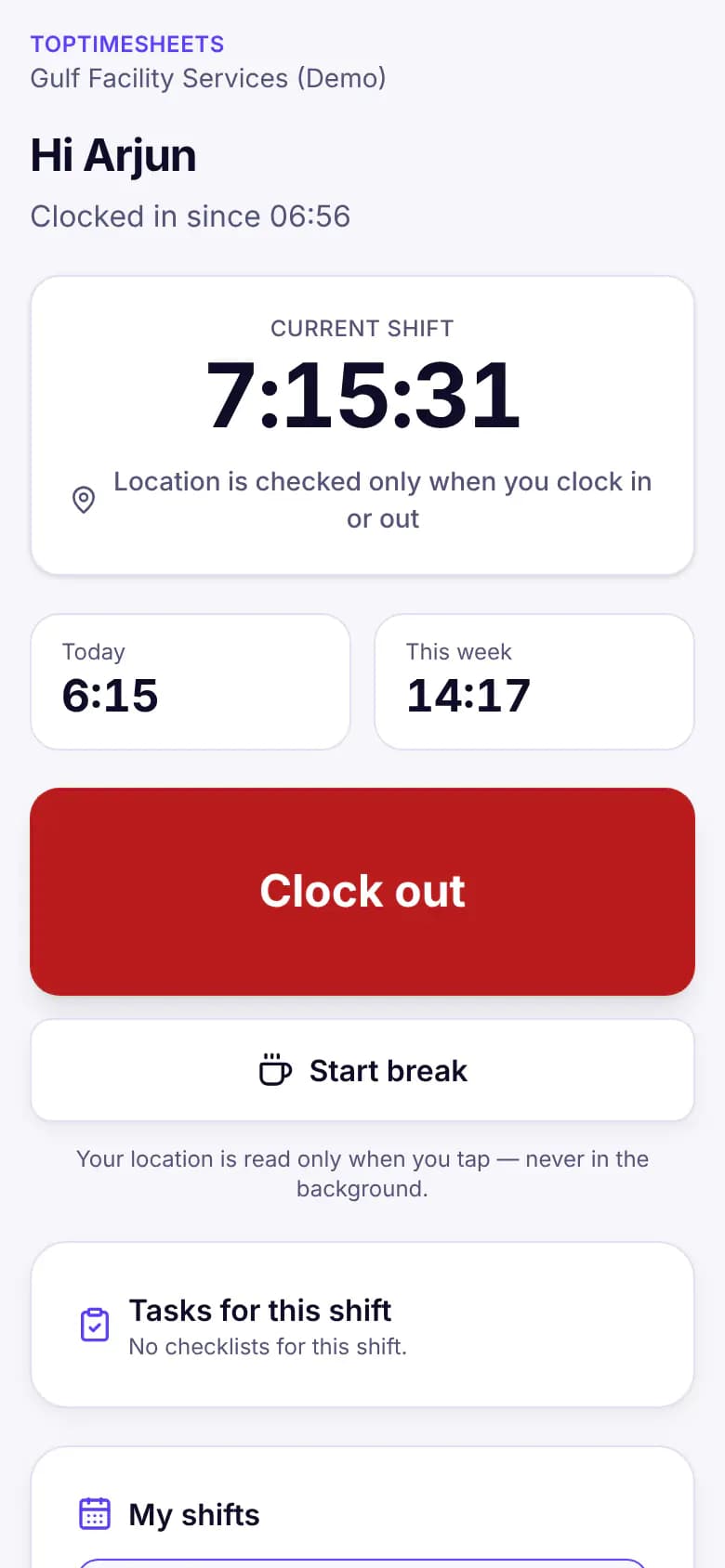
Clock in from any phone
No app to download. Works offline on site.
Built for field and hourly teams
Clock-in by link or kiosk, with location and selfie. Overtime calculated with your country's rules. Payroll files ready for your bank.
Already have an account? Sign in
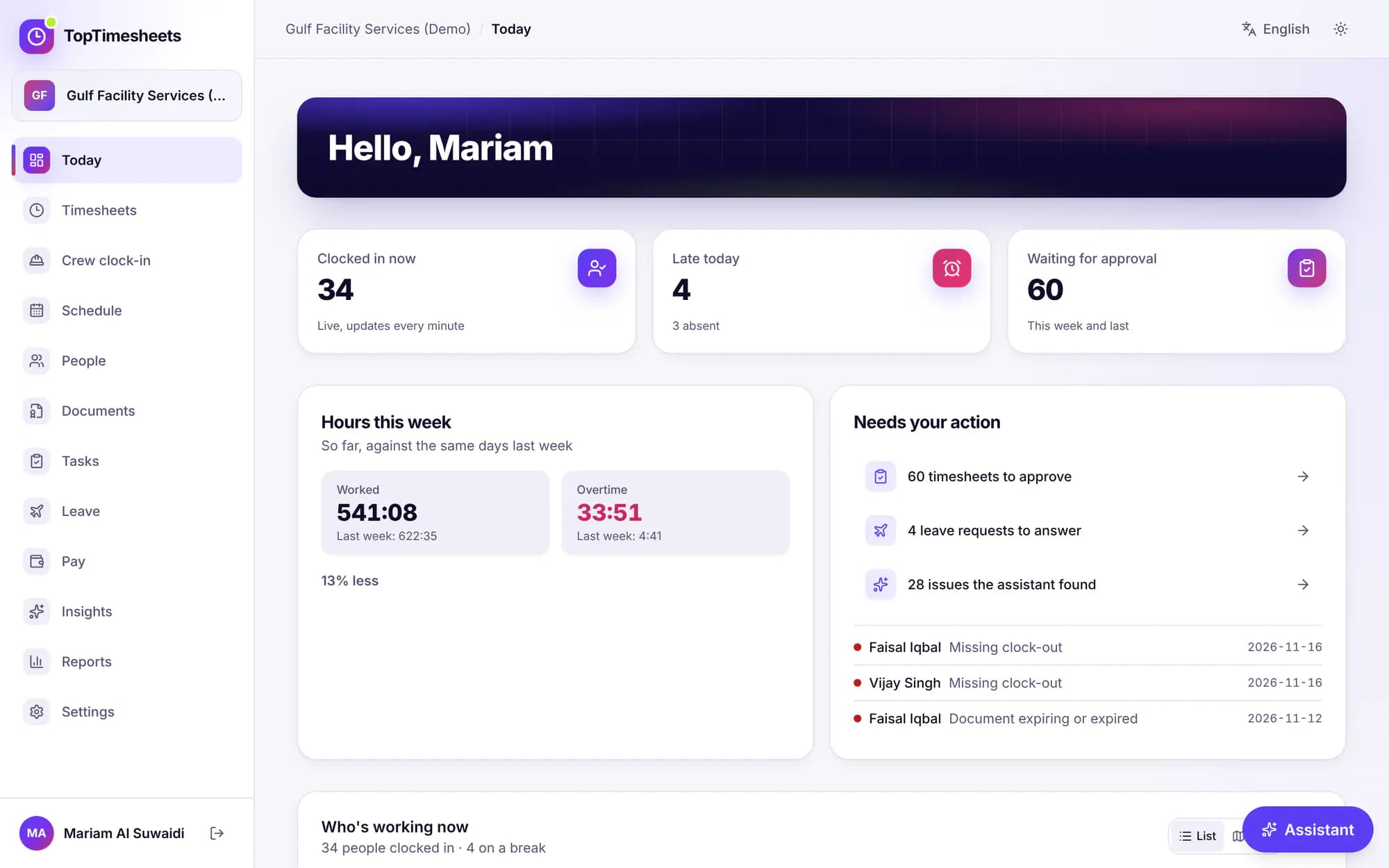
Why teams switch
Everything a site manager needs on the day — and everything payroll needs at the end of the month.
No app to download. Works offline on site.
Missed punches fixed with one tap. No more messages to the admin.
One price per person. Every location included. No add-ons.
The real product
Real screens from our demo company. The names and numbers are sample data.
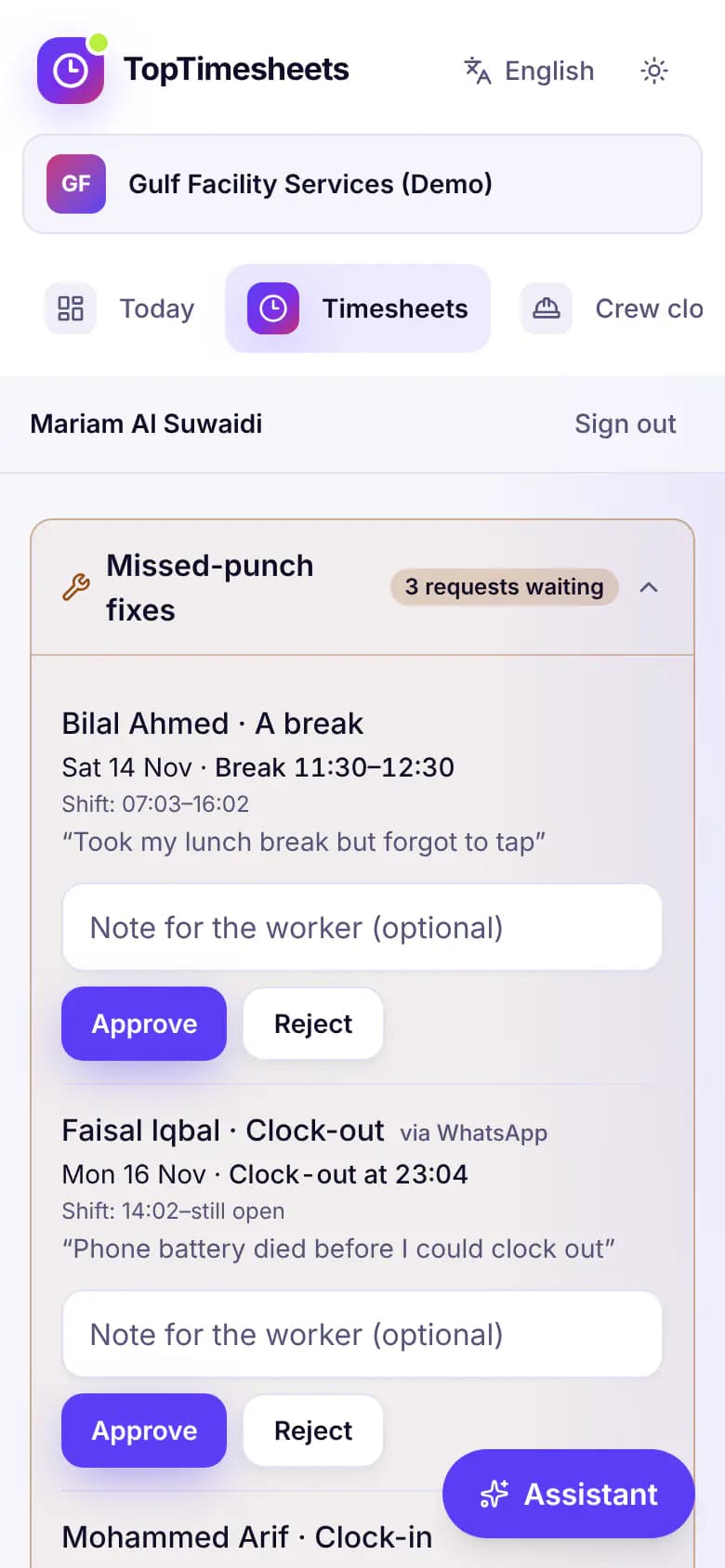
Every person's hours by day, missed-punch fixes with the worker's own note, overtime and flags. Approve them all, or one by one.
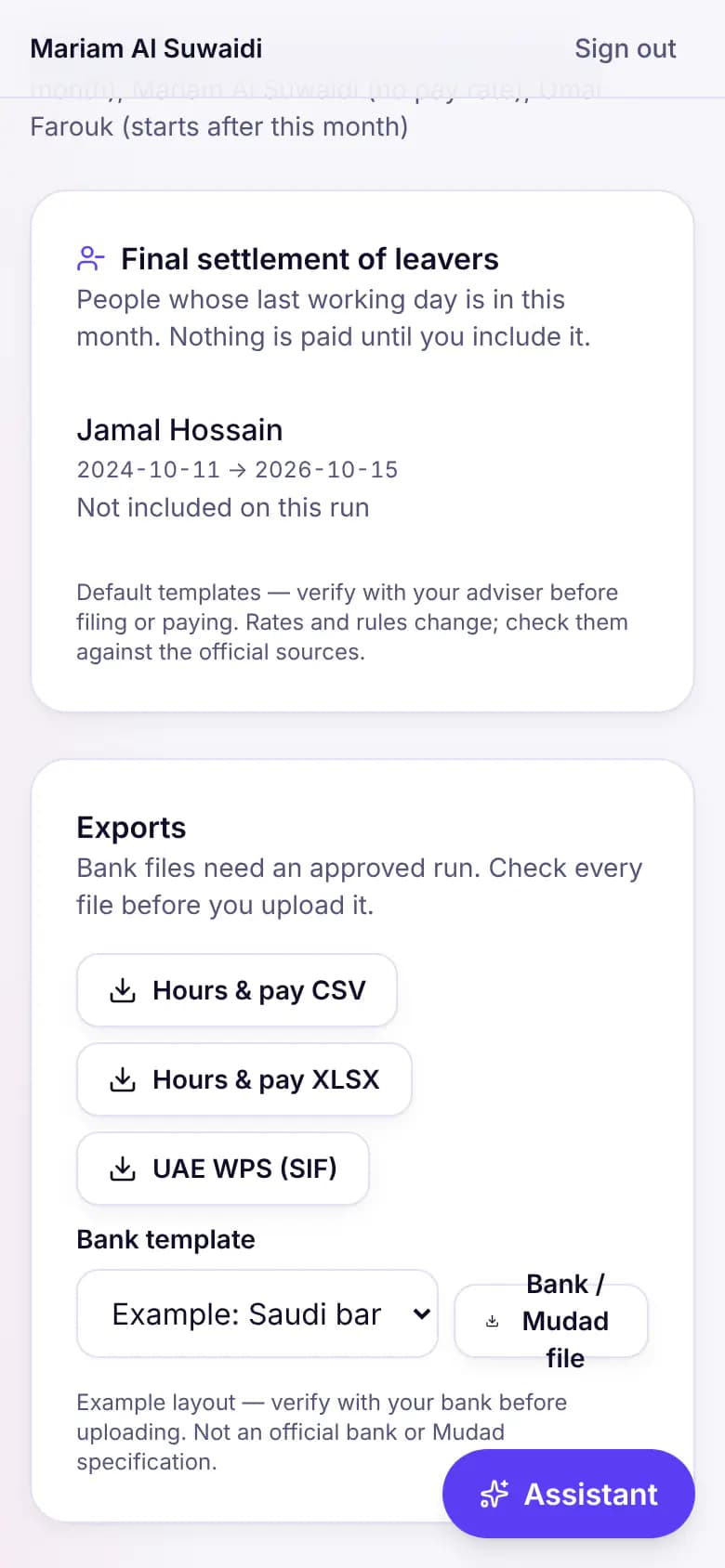
Hours, overtime and allowances become a pay run with payslips in English and Arabic. Once it is approved, download the WPS SIF or your bank's salary file.
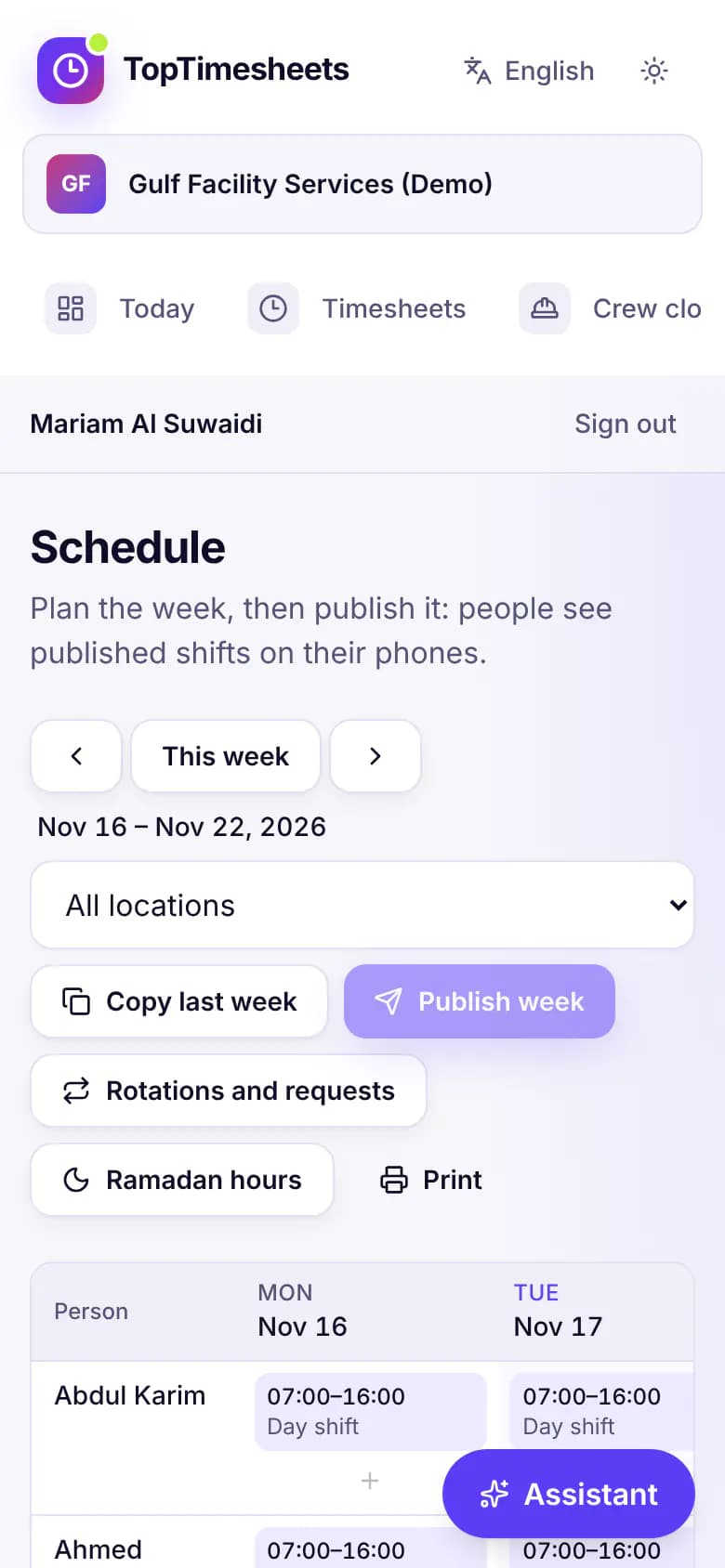
Plan the week's shifts by person and site, copy last week, then publish: everyone sees their shifts on their phone.
How it works
Invite people by link or phone number. Pick your country and we set the time zone, weekend and overtime rules.
Link or shared kiosk — with location and a selfie. Offline punches sync when the signal is back.
Review exceptions, approve timesheets and download a payroll-ready file on the 1st.
Pricing
Per active user per month, billed yearly. Start with a 14-day Business trial — no card.
Up to 10 people
Unlimited people and locations
Pay runs and payroll files
Yes. The Free plan covers up to 10 people and 2 locations, with no time limit: phone and kiosk clock-in, GPS, geofence, selfie, timesheets and approvals. No card needed.
14 days. Every new account starts with a 14-day Business trial with every feature, and no card is needed. When it ends you stay on Free unless you choose a plan.
7 rule sets: US federal, California, the UK, Canada federal, Ontario, the UAE and Saudi Arabia, with leave types and public holidays for each country. Every rule can be edited for your company; the defaults are templates to verify with your adviser.
No. Workers open a link in their phone's browser, with no app store and no password, and can add it to the home screen. A shared tablet can run as a kiosk with personal PINs. Invite links go out by WhatsApp today; clock-in by WhatsApp message is coming soon.
8 languages: English, العربية, اردو, हिन्दी, বাংলা, Filipino, Español and Français. Arabic and Urdu read right to left, and each person can pick their own language.
Set up your company in minutes. Your team can clock in today.
Start free — up to 10 people, no card

